01
Print or save a PDF
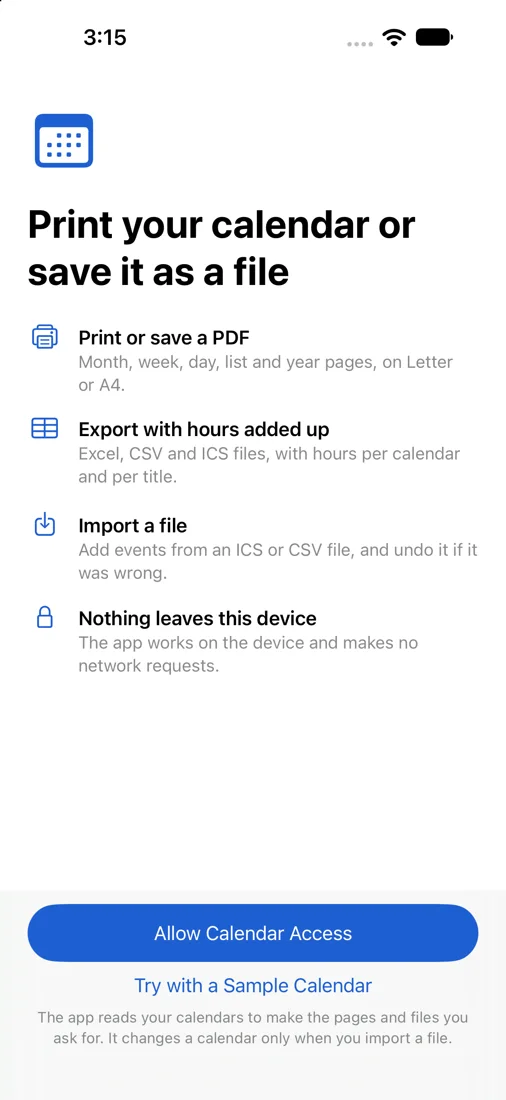
Month, week, day, list and year pages, on Letter or A4, portrait or landscape, in colour or black and white. Choose the calendars and the dates, then print with AirPrint or share the PDF.
Print Calendar for iPhone and iPad
Print the calendar on your iPhone or iPad as a clean month, week, day, list or year page. Or export the events to a spreadsheet with the hours added up.
Free preview of your own calendar. One purchase. No subscription.
01
Month, week, day, list and year pages, on Letter or A4, portrait or landscape, in colour or black and white. Choose the calendars and the dates, then print with AirPrint or share the PDF.
02
Excel, CSV and ICS files with one row per event: title, start, end, duration, calendar, place, notes and attendees. Hours are totalled per calendar and per title, on screen and in the Excel file.
03
Add events from an ICS file or a spreadsheet saved as CSV. You see what the file holds and choose the calendar first, and you can undo the last import.
Busy days are not cut short. Long titles wrap onto a second line when there is room. When a month box is full it says how many more events there are, and those events are printed in full on the next page.
Week and day pages show the hours your events need, not a fixed 8 to 6. Repeating events, all-day events, time zones and clock changes appear as they do in the Calendar app. The week starts on the day your iPhone uses.
The preview of your own calendar, the event count and the hours totals are free. So is one printed sample page: the first page of your document, marked as a sample.
One purchase unlocks printing, sharing, exporting and importing, for every calendar and any dates. There is no subscription, no account and no ads.
The app reads your calendars on your iPhone or iPad to make the pages and files you ask for. It processes the contents on your device. It changes a calendar only when you import a file.
It works with every calendar the Calendar app shows, including iCloud, Google, Exchange and subscribed calendars.
Does each print cost extra? No. One purchase covers every page, file and import, as often as you like.
Does it replace the Calendar app? No. You keep using the Calendar app. This app prints, exports and imports.
Which iPhones and iPads? iOS 17 or iPadOS 17 and later.
Which languages? English, German, French, Spanish, Italian, Portuguese (Brazil), Dutch, Japanese, Korean, Simplified Chinese and Traditional Chinese. Pages and files use the same language.
Can I print without a printer nearby? Yes. Share the PDF by mail or message, or save it to Files and print it later.