Health Data Restore vs Health Data Importer
Looking for a Health Data Importer alternative?
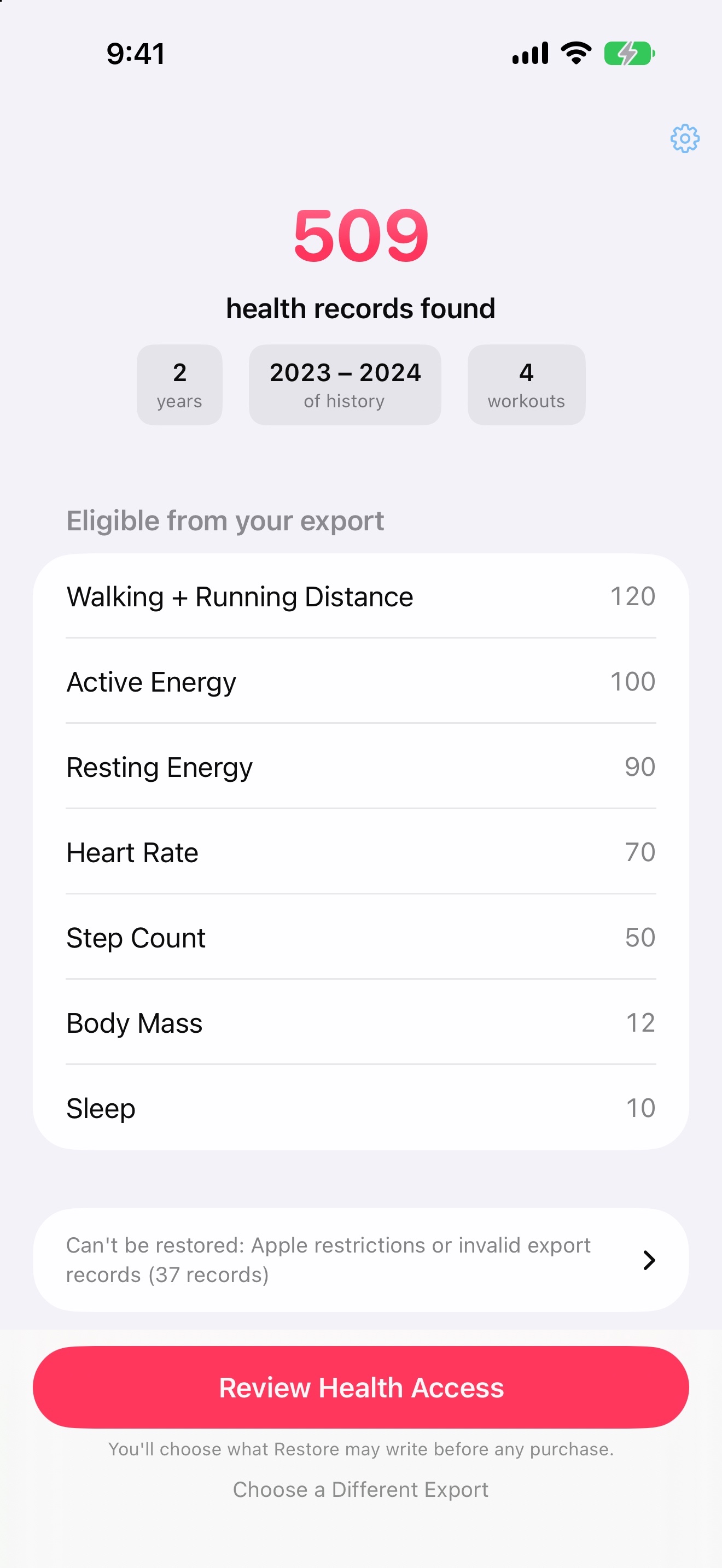
Bring an existing Apple Health export ZIP back into Health. Preview eligible records for free, then restore with a one-time purchase.
Free scan and preview. One-time purchase to restore. No subscription.
Requires an existing Health export ZIP and iPhone with iOS 17 or later.
Who wrote this? Arctic Studios makes Health Data Restore. This is our product comparison, not an independent review. Listing facts checked ; current listed versions: Restore 1.0.1 and Importer 2.2.0.
At a glance
Two apps. The same starting point: your export.
Both work with data exported from Apple Health. Here is what the published listings and Restore’s workflow establish—not a laboratory performance comparison.
On a narrow screen, scroll the table sideways to compare both apps.
| What matters | Health Data Restore | Health Data Importer |
|---|---|---|
| Paid options · US | $9.99 Full Restore, one-time purchase. | $19.99 Pay-As-You-Go $49.99 Lifetime Access. |
| Input | The original Health export ZIP. Keep it zipped. | Health XML exports; current release notes also mention ZIP extraction. |
| Before purchase | Free scan and restore plan, with eligible types and skipped records. | Its version history describes free imports of records at least four years old. |
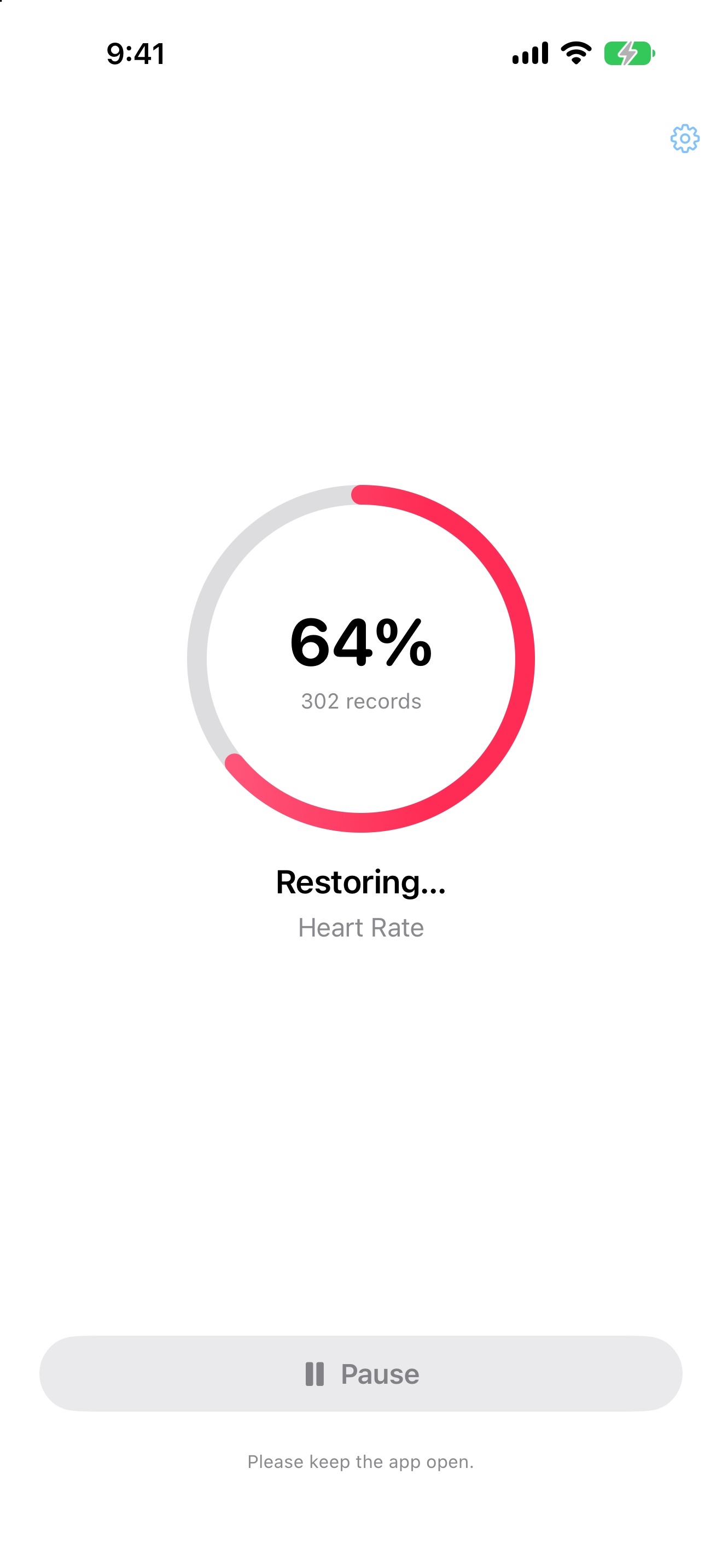
| Large exports | Streaming processing and on-device checkpoints. Pause and continue; keep the app open while importing. | Its listing acknowledges difficulty with large exports and recommends the free Health XML Splitter for Mac. |
| Scope and limits | Eligible records, workouts and supported routes. Not every exported type can be restored. | Lists exclusions including Activity Summaries, Stand Hours, Exercise Time and Nike Fuel. |
| Supported devices | iPhone, iOS 17 or later. | iPhone and iPad, iOS/iPadOS 17 or later. |
Sources: Health Data Restore’s US listing and Health Data Importer’s US listing. These are different purchase options, not a claim of identical entitlements. Check each app’s checkout for current terms and regional pricing.
Why we built it
Less waiting. More visibility.
Hugues, our founder, started Restore after a frustrating experience importing his own export with Health Data Importer. He encountered crashes and found the process slow. He has since measured Restore running over ten times faster in his test.
That experience shaped the app: a preview before purchase, processing designed for large archives, visible progress, and checkpoints so an interrupted import can continue.
See the workflow
Know what goes in. See how it’s going.
Actual app screens with synthetic example data. Results vary by export and permissions; screenshot counts and timings are not benchmark results. Select an image to view it at full size.
Choose for your situation
Is Restore the right alternative for you?
Consider Restore if…
- You have an existing Health export ZIP and want to inspect it before paying.
- You want a one-time purchase and an iPhone workflow with progress and checkpoints.
- You need eligible records and workouts imported—not an ongoing sync service.
Check the fit first.
- Restore cannot recover deleted data without an export, extract an iCloud backup, or recreate every Health data type.
- Overlapping history can create duplicates. Review your cutoff and existing records; we do not promise a duplicate-free merge.
- If you need iPad support, Importer lists it; Restore’s current listing is for iPhone.
Not sure what file you have? Our step-by-step Apple Health export import guide explains the required ZIP, permissions and limitations.
Start with your export
Try the preview. Decide after.
Your export and health records stay on your iPhone. You don’t need an account to use Restore.
Restoring requires the paid Full Restore unlock.
Health Data Importer is developed by Lionheart Software LLC. This page is published by Arctic Studios LLC, the maker of Health Data Restore, and is not affiliated with Lionheart Software. Health Data Restore is not affiliated with, sponsored by, or endorsed by Apple Inc. Product names identify the products being compared.